$interactionReply
Sends a reply to an interaction (buttons, menus, slash commands).
Usage: $interactionReply[message; ephemeral(yes/no); return id(yes/no)]
Parameters:
message: The content of the reply message.ephemeral(yes/no)(Optional): Determines if the message should be ephemeral (only visible to the user who triggered the interaction). Defaults tonoif not specified. Useyesfor an ephemeral message.return id(yes/no)(Optional): Determines if the function should return the message ID. Defaults tonoif not specified.
Ephemeral Messages
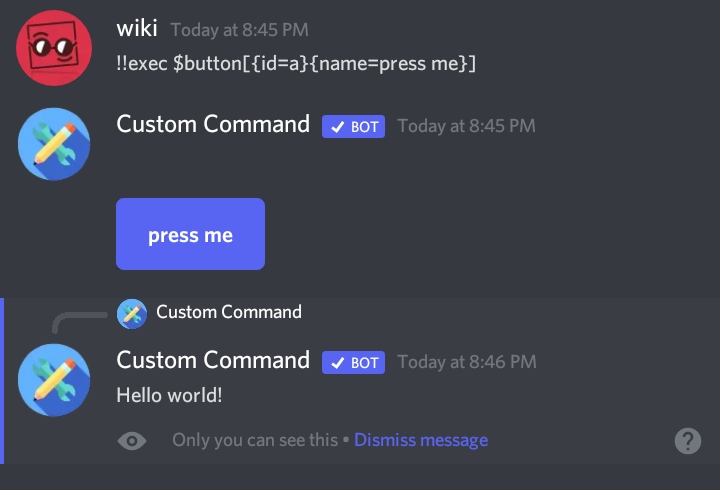
Ephemeral messages are only visible to the user who triggered the interaction. Use them when you want to send a private response. To make a message ephemeral, set the ephemeral parameter to yes.
Example
$interactionReply[Hello World;yes]
This code sends an ephemeral message to the user who triggered the interaction, displaying "Hello World".
Important
This function only works within interaction-based trigger types (like button clicks, menu selections, and slash command executions). If you want to reply to a regular message, use the $reply function or the {reply:messageId} tag instead.
Note
You can send embedded messages using the Message Curl Format. This allows for richer message styling, images, and more.